
Copy anything you can see.
Press ⇧Space, drag over any text and it is on your clipboard. OCR runs on your Mac with Apple Vision.

Every capture stays in the menu bar.
See it all in under a minute.
A short film with sound: text from anything on screen, screenshots you mark up and clips you trim and export as GIF or MP4.
Lives in your menu bar.
Four shortcuts, your latest captures and every setting. Go ahead, click around.
Startup
The app will start automatically when you turn on your Mac.
Language
Changes the interface language instantly.
Sound
Plays when saving a screenshot, GIF, or video.
Permissions
- Screen RecordingRequired for OCR, captures, and clips.
- AccessibilityRequired for global shortcuts.
Updates
Checks GitHub Releases. Nothing is sent.
History
- The Art of Simple Tools...2 min ago
- https://peekocr.stevenacz.com/14 min ago
- Capture copied to clipboard1 hr ago
History is emptyYour recent captures will appear here
Four ways to capture. Click a shortcut to change it.
⇧⌘5 and ⇧⌘6 may be reserved by macOS; if a shortcut doesn't respond, choose another combination.
Saving
You can enable both options to copy and save at the same time.
Image
The image will be saved at full size (maximum quality).
Capture preview
Captures taken within 15 seconds form a group. Paste all with ⌘V, or turn this off to paste only the latest. Hover over the preview to pause it and remove unwanted images.
Annotations
These values will be used as defaults when opening the annotation editor.
Clip
The clip stops automatically when it reaches the limit. Minimum 3s, maximum 60s.
Recording
Recording FPSDuring selection, press Space to record the full screen. System audio is kept when exporting MP4 (GIFs have no audio); macOS may ask for audio recording permission the first time.
Export
Default formatSets the format preselected when the editor opens.
GIF
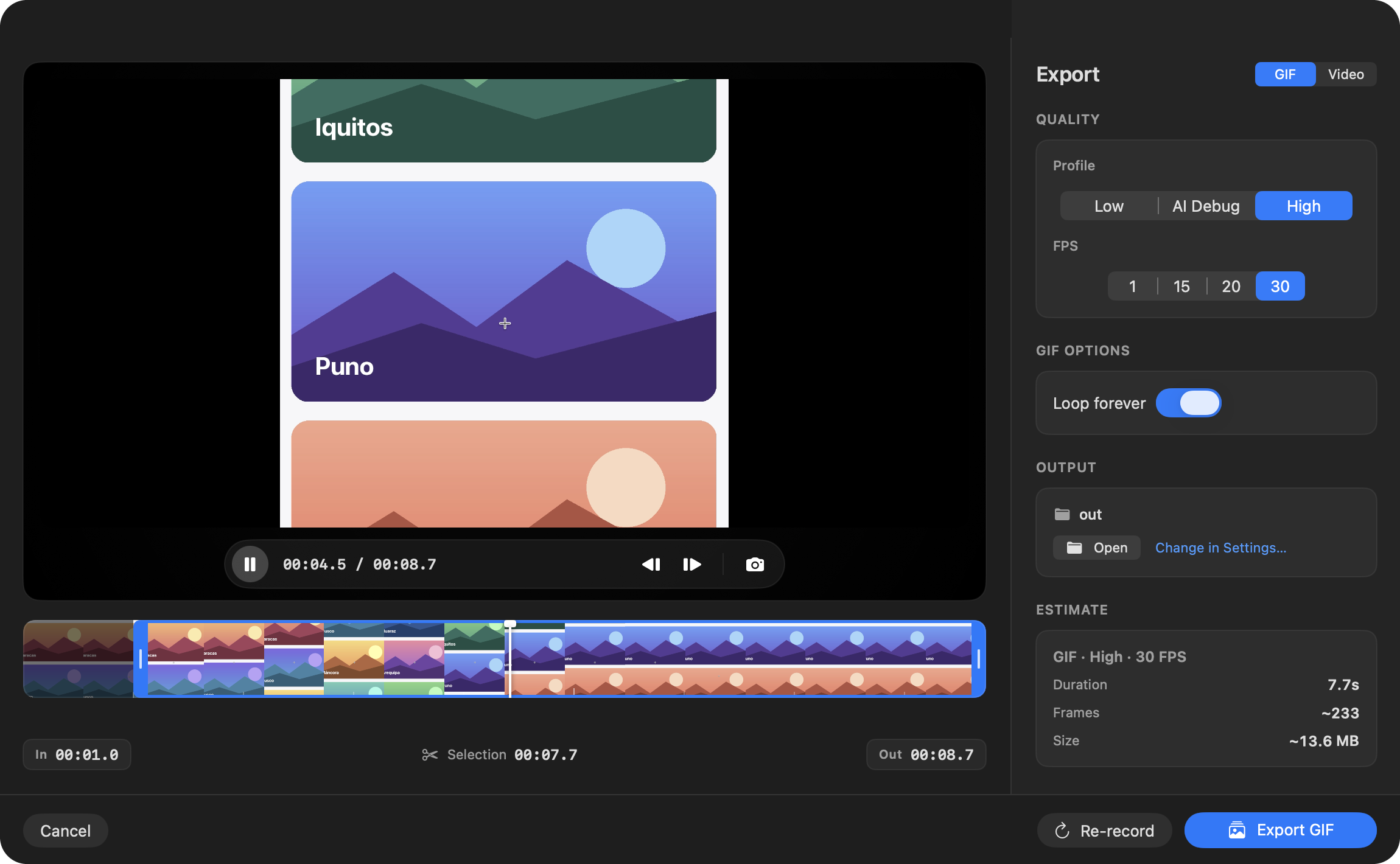
ProfileFPSAI Debug is ideal for frame-by-frame review (e.g. 10s → ~10 frames at 1 FPS).
Video (MP4)
Resolution (max)FPSCodecH.264 is more compatible. HEVC is usually smaller but may be less compatible.

PeekOCR
Version 2.7.0
Capture text, screenshots, and clips from the menu bar. OCR powered by Vision with automatic QR code detection.
- OCR Vision
- QR Codes
- Clips
Made with ❤️ by StevenACZ© 2026 StevenACZ
 PeekOCR3 captures in history⇧Space
History
No recent capturesUse ⇧Space to capture text
Live preview with sample data.
The real app, recorded.
One take on a MacBook Pro M1: Shift + Space, a drag over the text in an image, and Command + V pastes it into TextEdit. Not sped up.
Mark it up. Clip it.
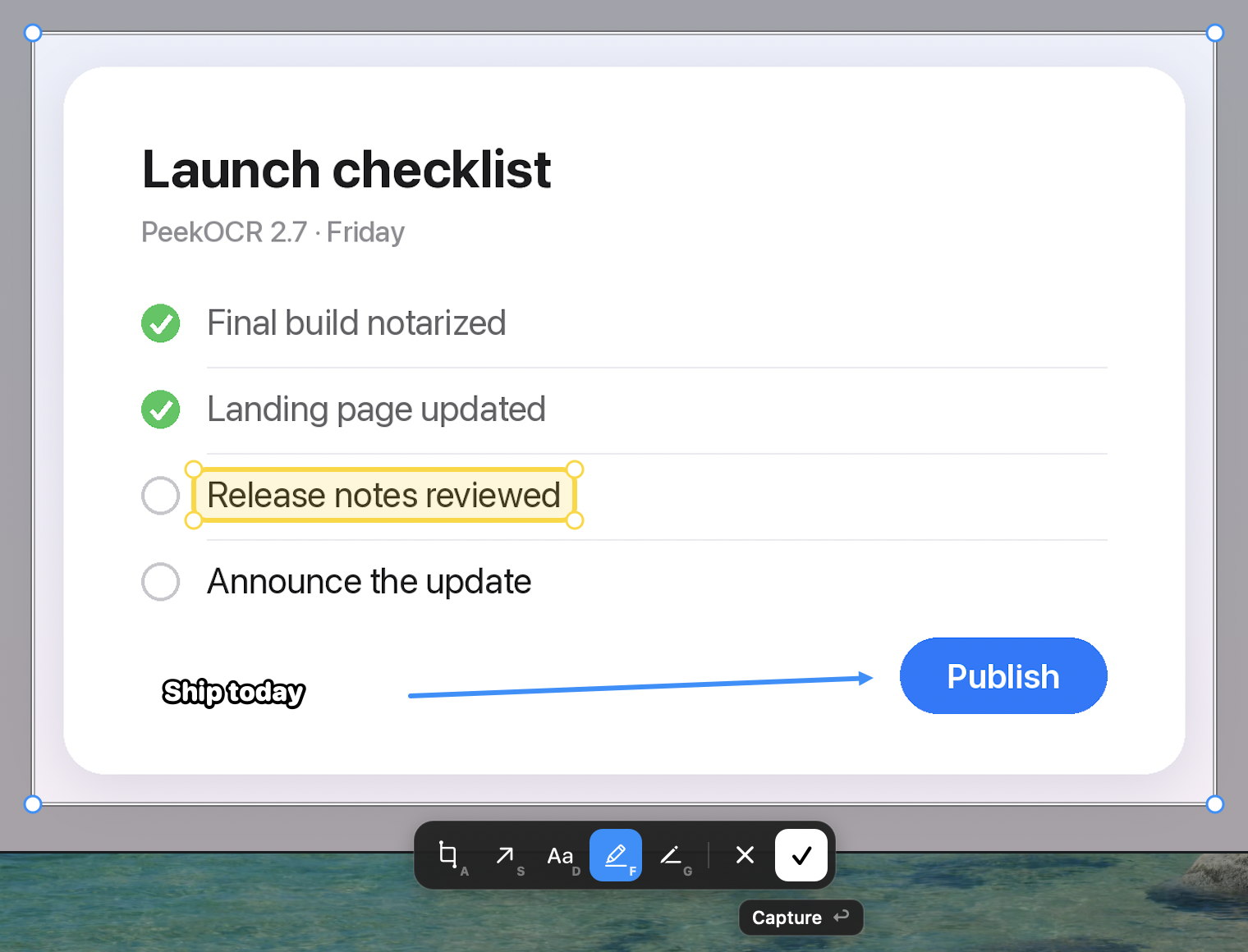
Annotate screenshots with arrows, text and highlights, or record a region and export it as a GIF or MP4.
Your screen stays on your Mac. Apple Vision reads it on device. No account, no analytics, no cloud OCR.
Questions.
Is PeekOCR free?
Yes. PeekOCR is free and open source under the MIT license, with no account, subscription or trial.
Which Macs does it support?
Apple Silicon Macs (M1 or newer) running macOS 15 Sequoia or later.
Does my screen leave my Mac?
No. Recognition runs locally with Apple Vision. The only network traffic is the update check against GitHub Releases and the update download when you choose to install it.
Which languages can it read?
English, Spanish, French, German, Portuguese and Italian, with automatic language detection. It also reads QR codes. The app itself is in English and Spanish.
Why does it need Screen Recording and Accessibility?
Screen Recording lets PeekOCR capture the area you select, and Accessibility is required for the global shortcuts. A short setup window walks you through both.
What else can it capture?
Screenshots (⇧⌘4), annotated screenshots with arrows, text, highlighter and pen (⇧⌘5), and clips you trim and export as GIF or MP4 (⇧⌘6).
Stop retyping what is on your screen.
Free and open source, for every Apple Silicon Mac.
Download PeekOCRVersion 2.7.0 · Release notes
macOS 15 or later · Apple Silicon · MIT license